§ the idea
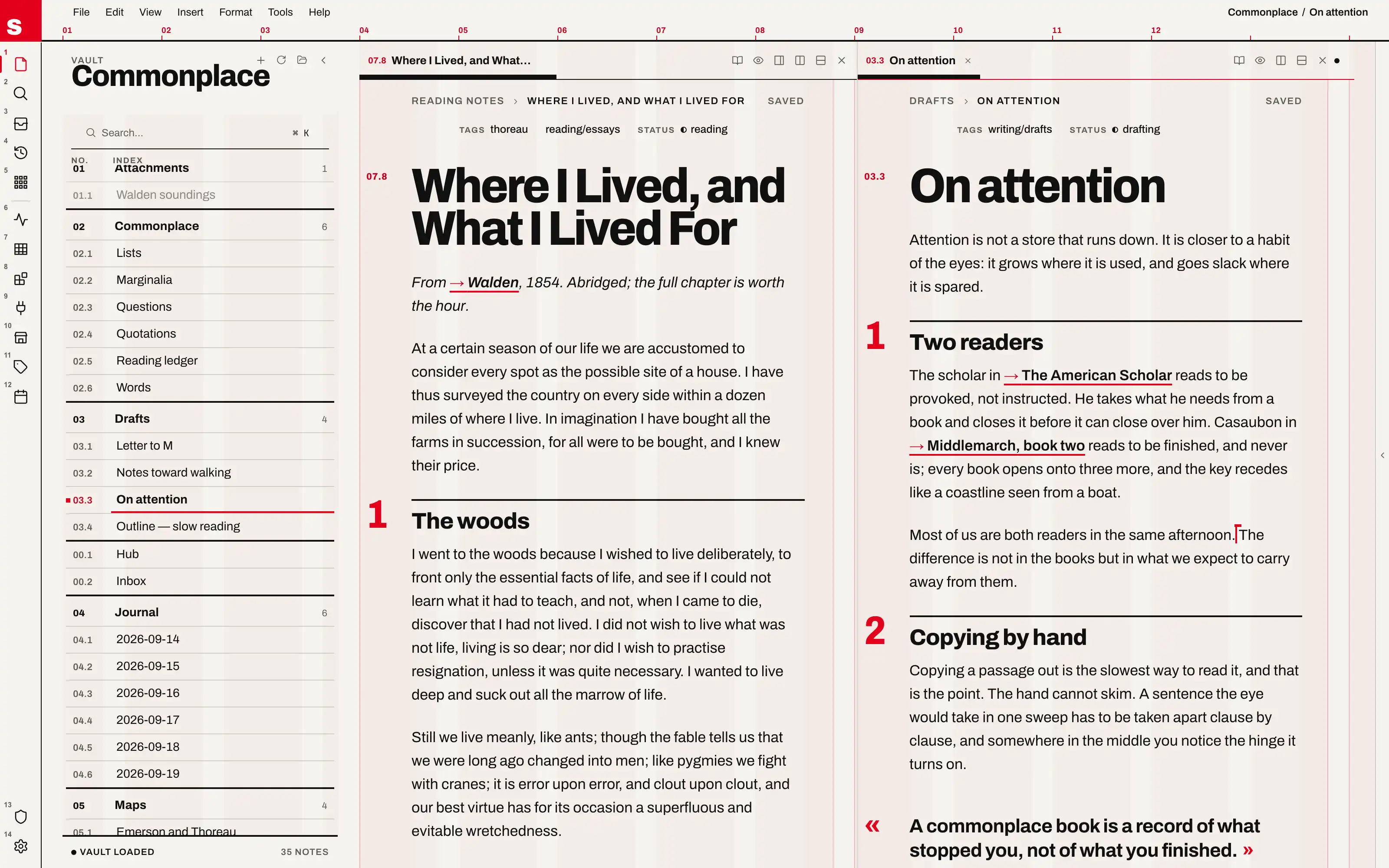
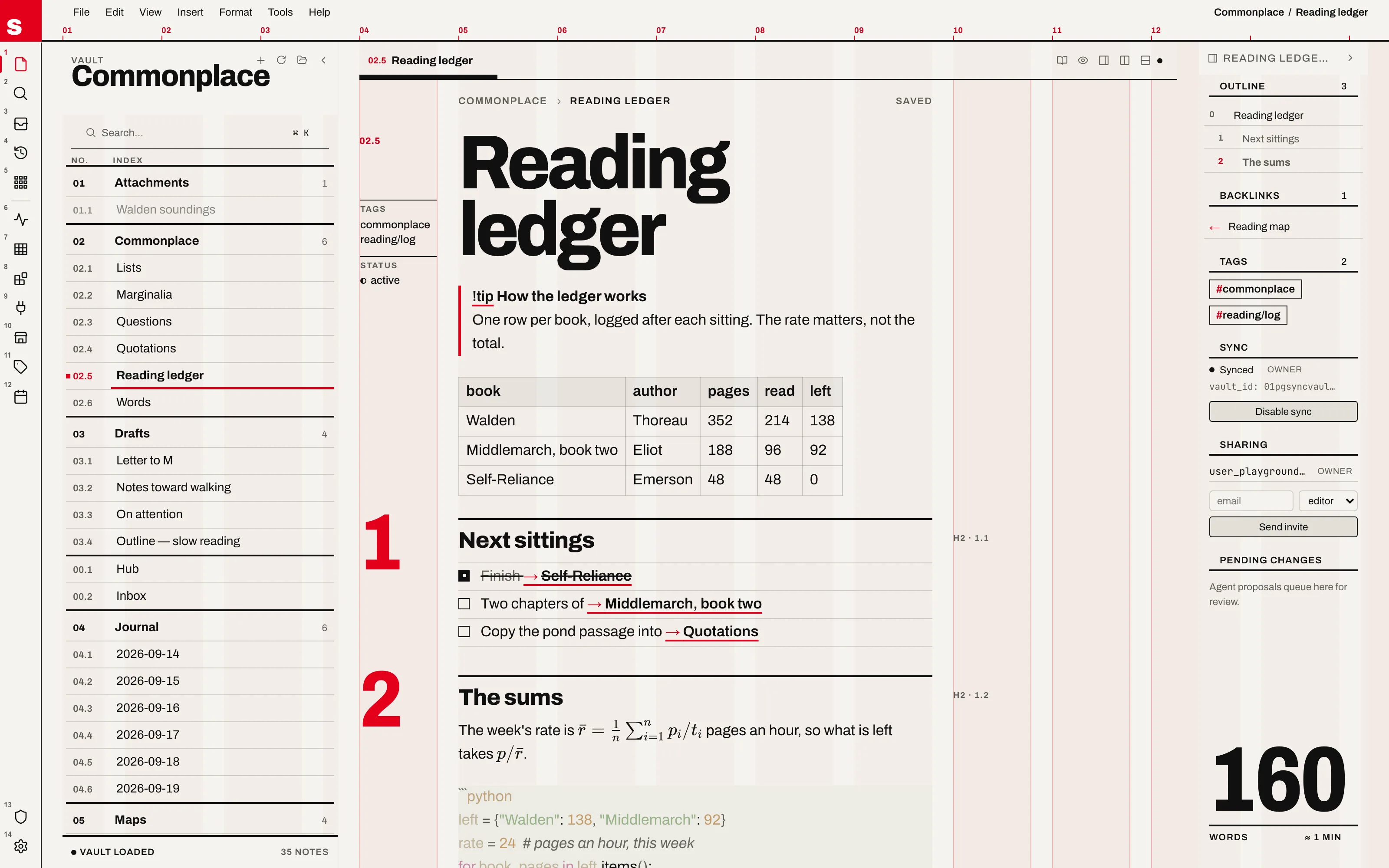
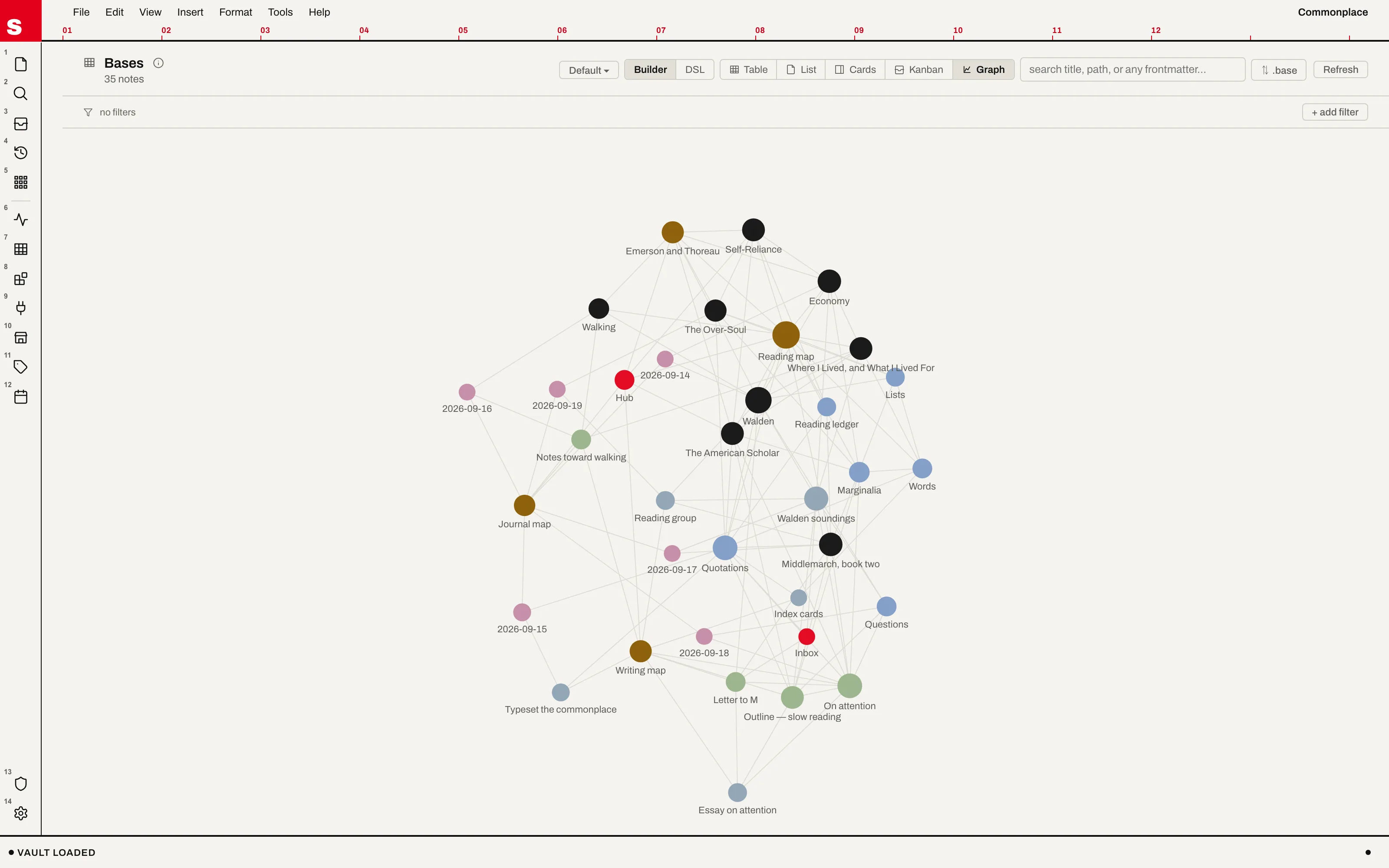
The window as a Müller-Brockmann poster: a visible twelve-column grid in signal red on off-white paper, every region set on it, one family (Archivo) loud only through scale. The file tree becomes a numbered index, sections hang as giant red numerals in their own column, the note's word count stands as a figure, and a wikilink is a red arrow with a 2px rule.
Install it
- Open the Store from the left rail in Solomon (or press ⌘9) and choose Themes.
- Find Swiss Grid and click Install. It lands in your vault’s
Themes/folder. - Choose it under Settings → Appearance. The default look is one click away there too.
Solomon is a free download for macOS. Get the app
- Mode
- Light and dark
- Type
- Archivo
- Palette
- Credits
- SIL Open Font License 1.1
Nothing in this package is fetched at runtime: the typeface is bundled under assets/fonts/ and resolved against the theme folder. There are no images — the grid, the ruler, the red cap and every rule in the chrome are CSS gradients and borders, drawn by the theme itself.