§ themes · No. 05 of 25
Bauhaus 1923
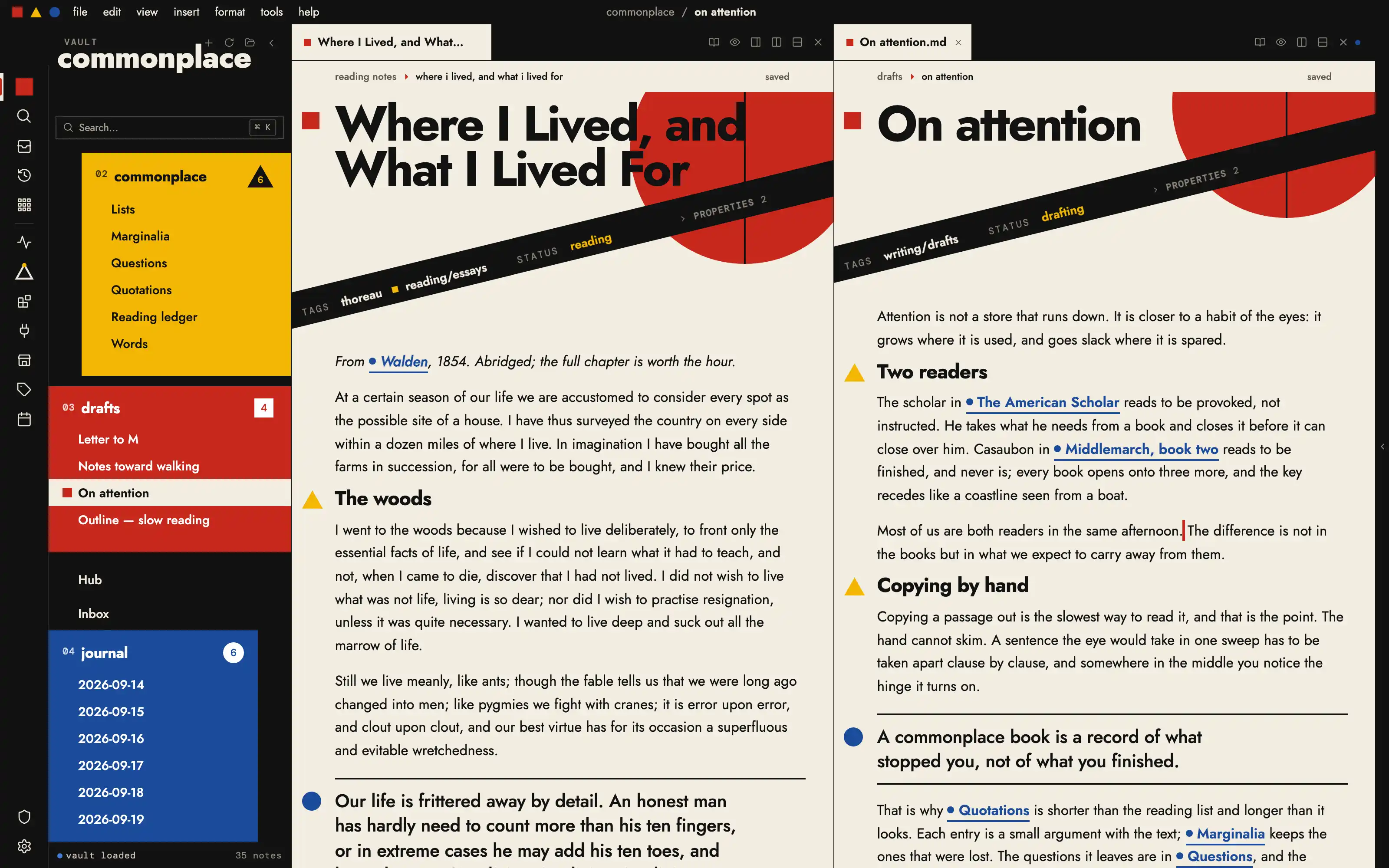
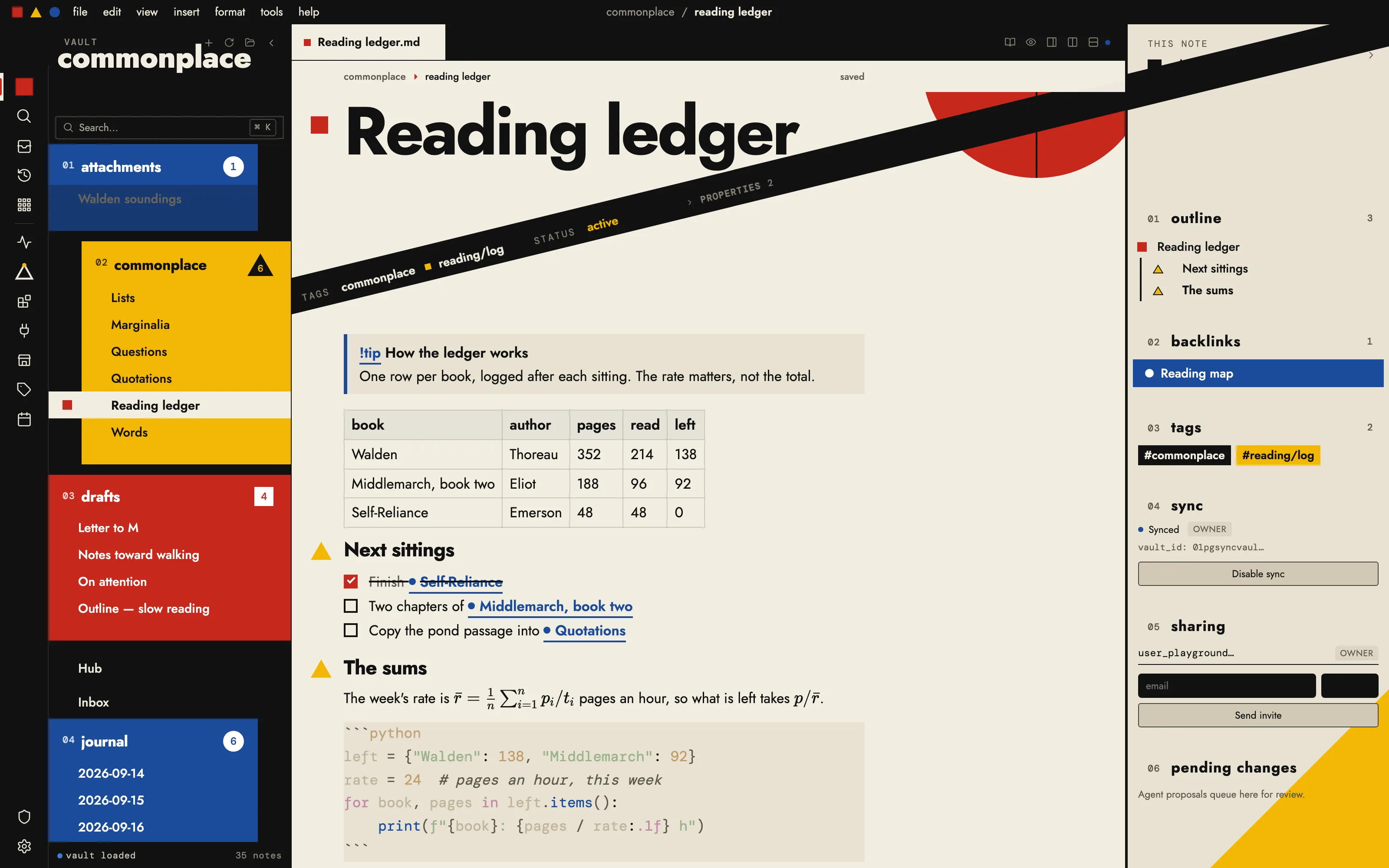
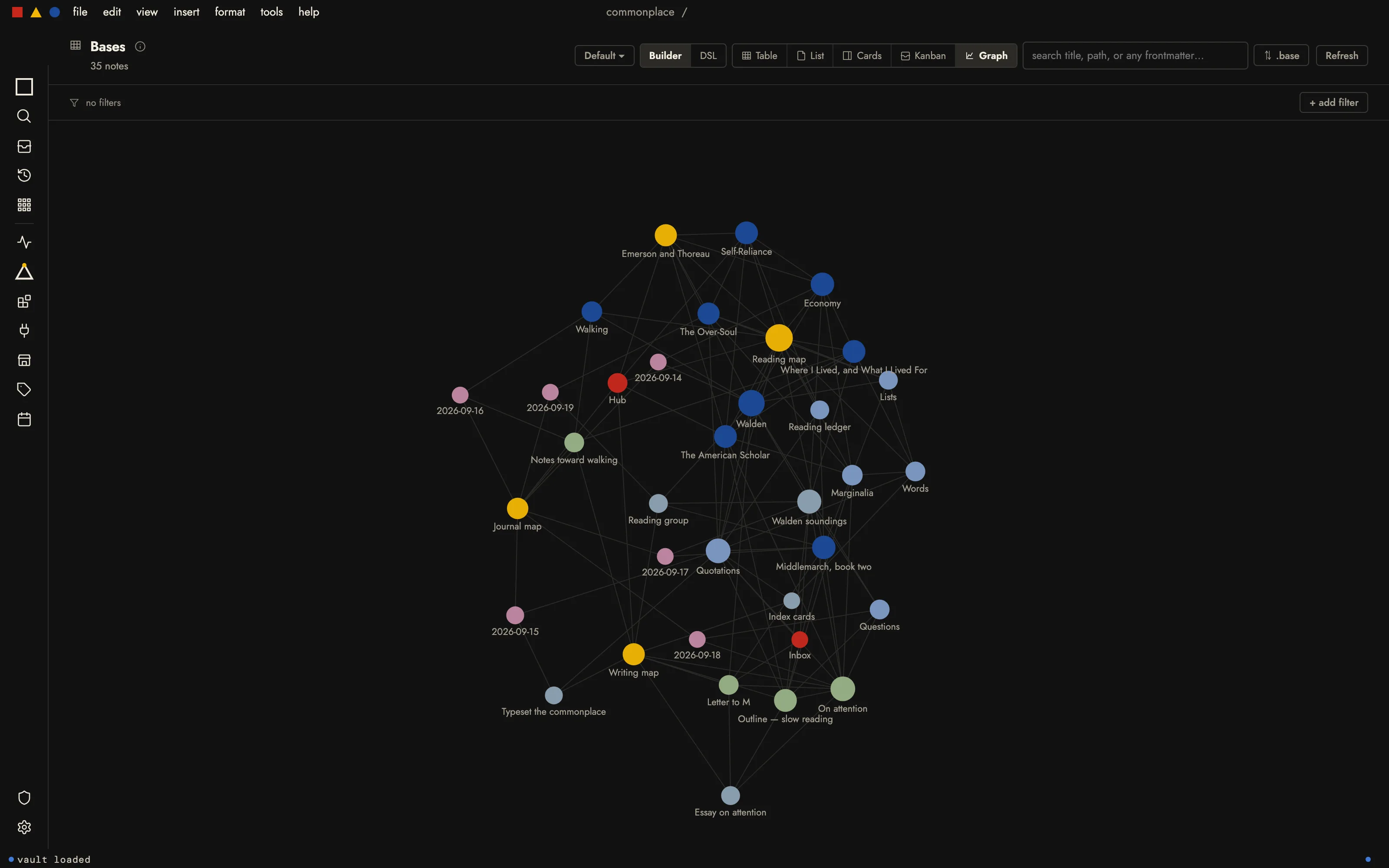
A 1923 exhibition poster; square, triangle and circle as the information system.
§ the idea
The window set as a 1923 exhibition poster: Kandinsky's square, triangle and circle in flat red, yellow and blue become the information system, so every folder is a colour block, every heading hangs its shape in the gutter, and a black diagonal carries the note's properties across the page. Jost and DM Mono throughout; no gradients, no shadows, only flat colour and geometry.
Install it
- Open the Store from the left rail in Solomon (or press ⌘9) and choose Themes.
- Find Bauhaus 1923 and click Install. It lands in your vault’s
Themes/folder. - Choose it under Settings → Appearance. The default look is one click away there too.
Solomon is a free download for macOS. Get the app
- Mode
- Light only
- Type
- Jost
- Palette
- Credits
- SIL Open Font License 1.1
Everything this package ships is either an SIL Open Font License 1.1 typeface or original vector geometry drawn for the theme. Nothing is fetched at runtime.