Broadsheet
Every note the front page of a daily paper; two-column reading view.
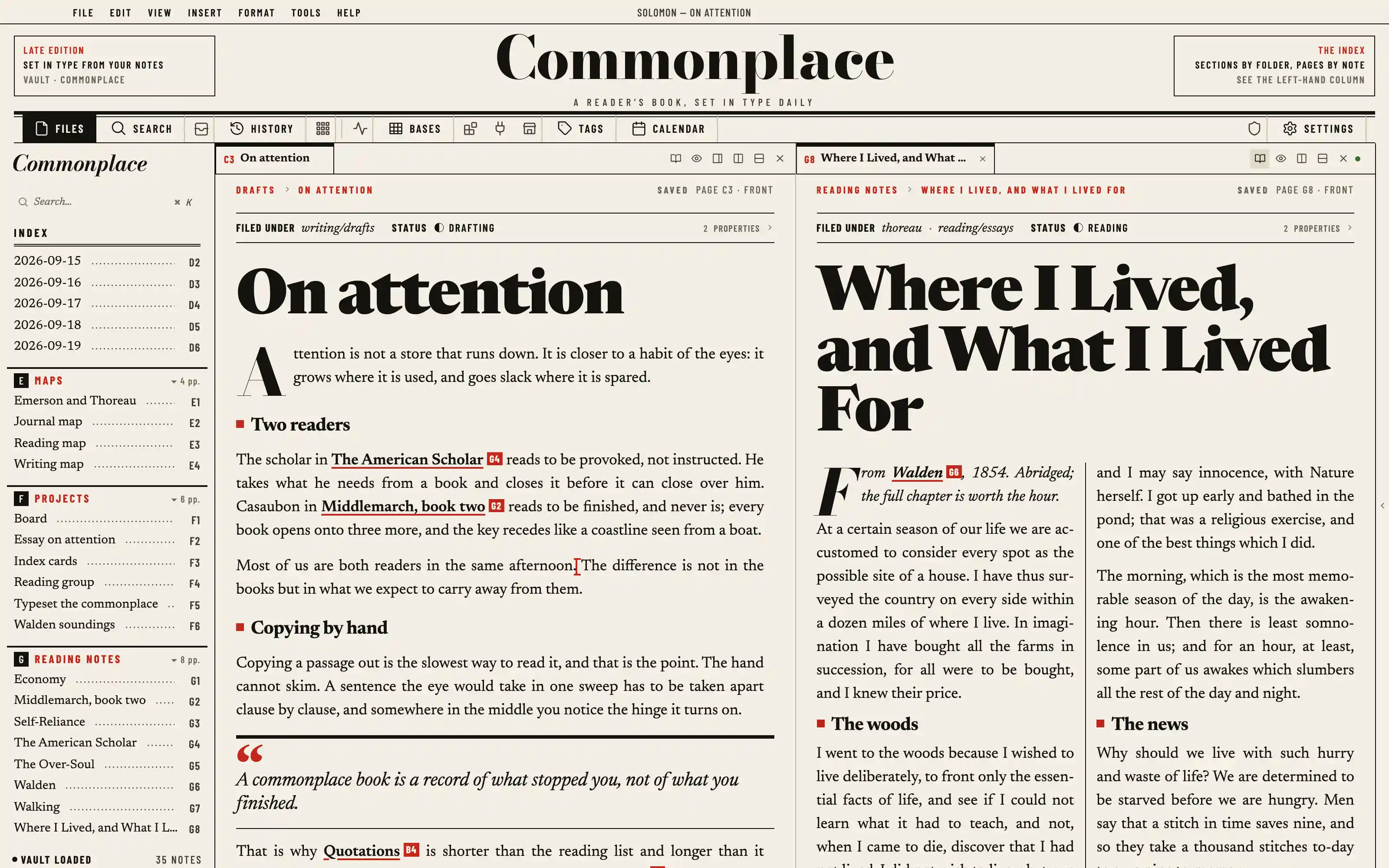
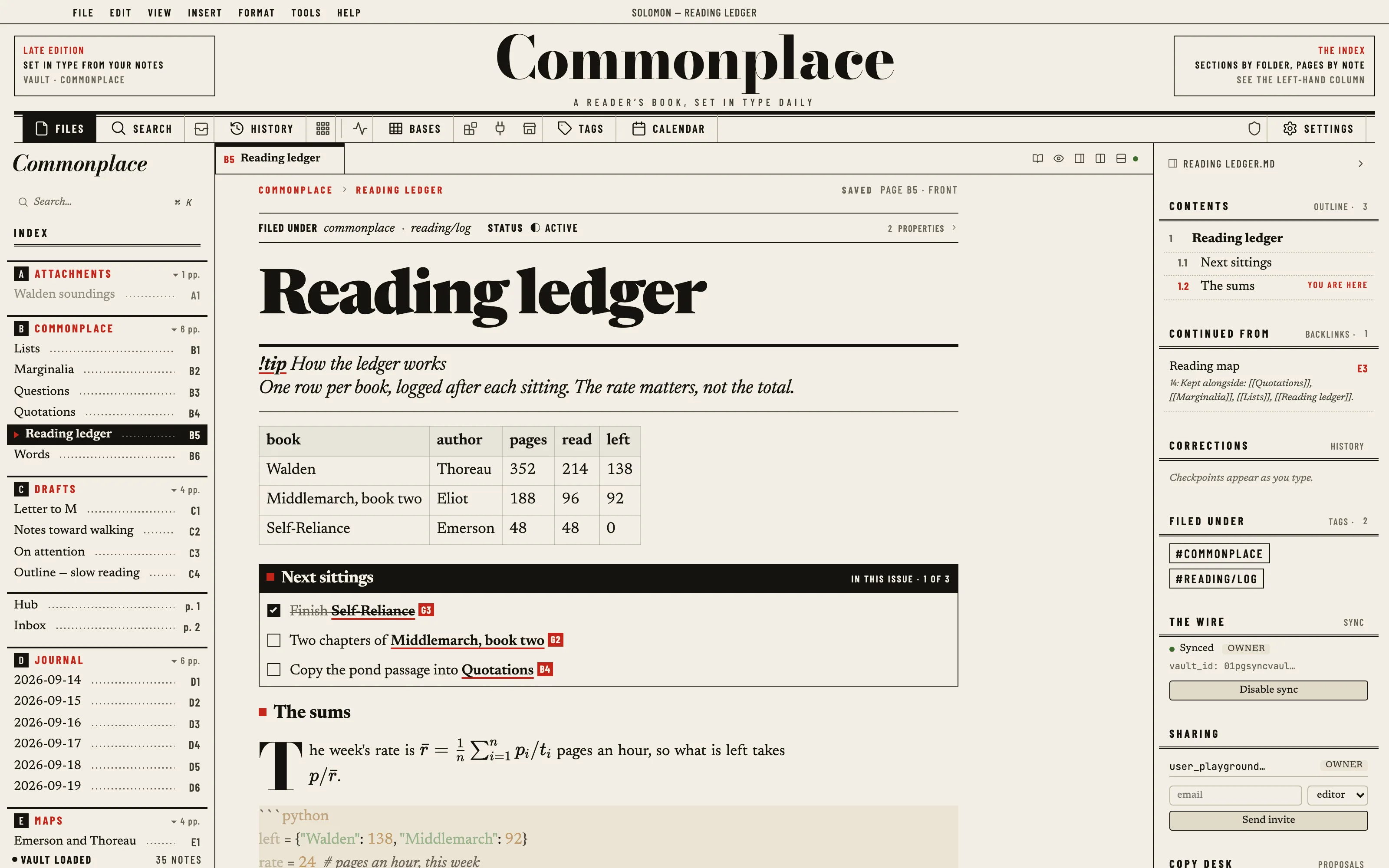
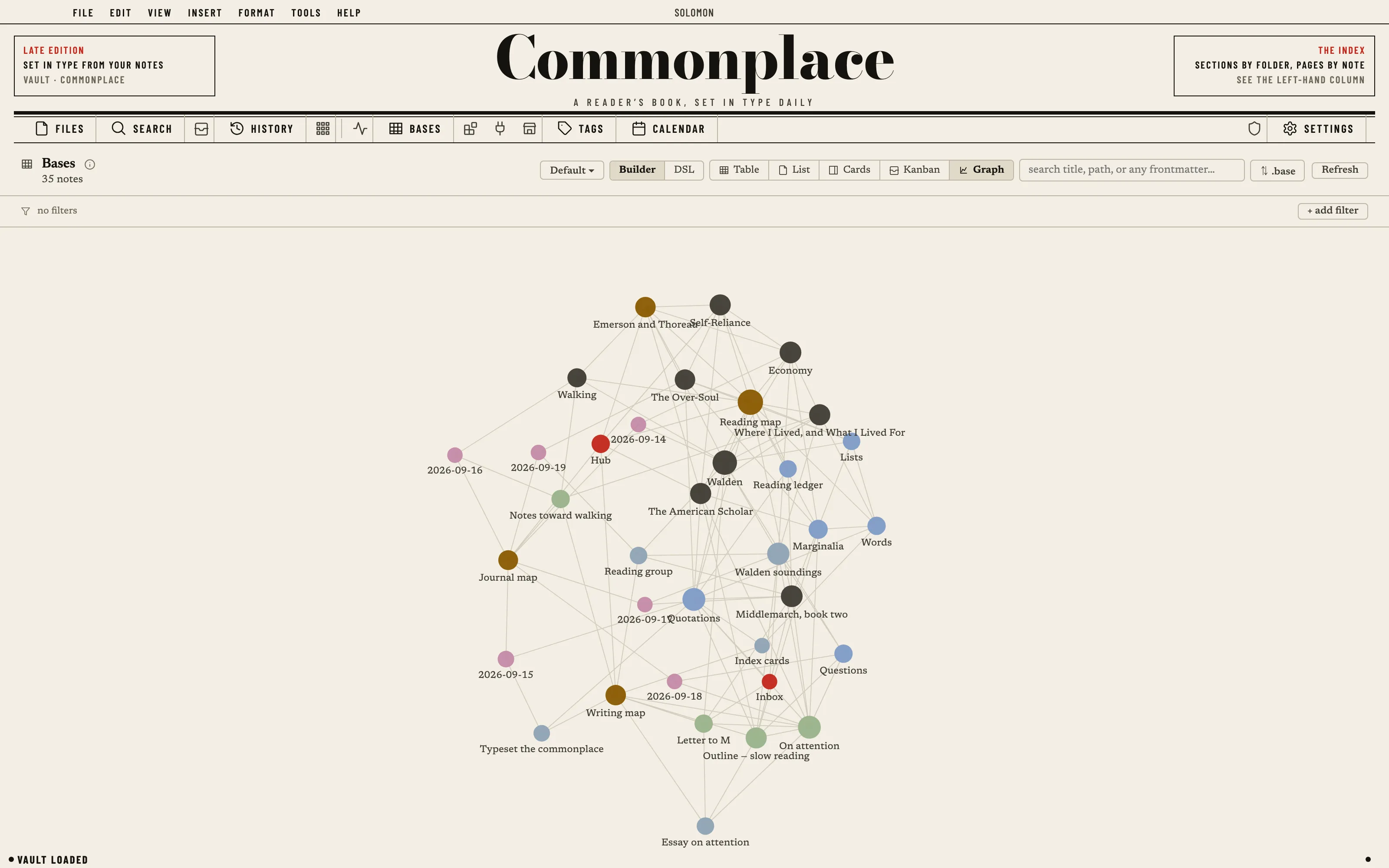
Every note is the front page of a daily paper printed from your vault: the vault's name as the nameplate, the rail as the section nav under it, the title as an 800-weight banner headline, the path as a red kicker and the frontmatter as the dateline. Flat newsprint and one spot red, the file tree an index with page numbers and dot leaders, and the reading view set in two justified columns with a column rule, a drop cap and a halftone plate below the fold.
Install it
- Open the Store from the left rail in Solomon (or press ⌘9) and choose Themes.
- Find Broadsheet and click Install. It lands in your vault’s
Themes/folder. - Choose it under Settings → Appearance. The default look is one click away there too.
Solomon is a free download for macOS. Get the app
- Mode
- Light only
- Type
- Newsreader
- Barlow Condensed
- Palette
- Credits
- SIL Open Font License 1.1
Everything this package ships is either an SIL Open Font License 1.1 typeface or art made for Solomon. Nothing is fetched at runtime: the fonts and the plate are bundled under assets/ and resolved against the theme folder.