§ the idea
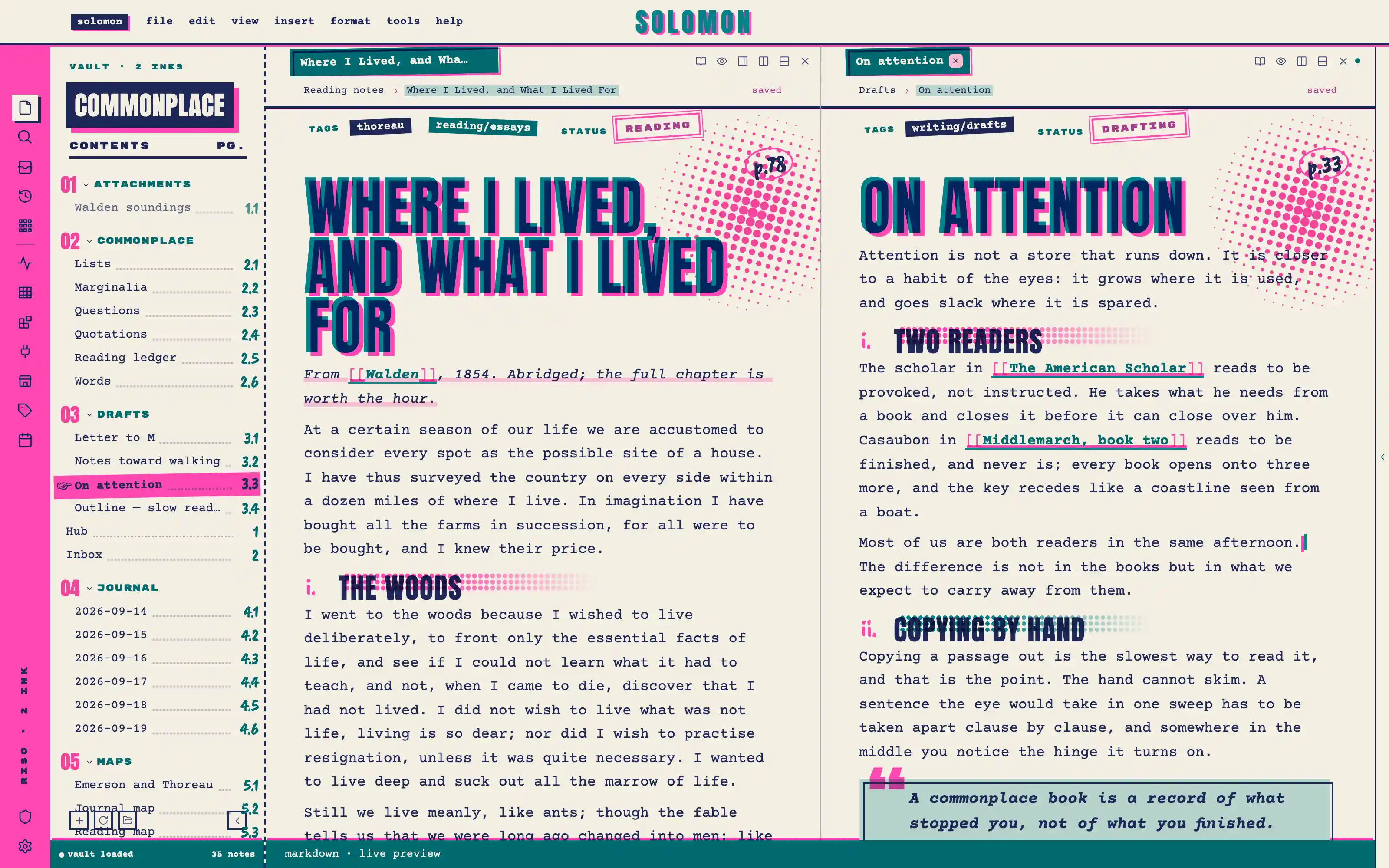
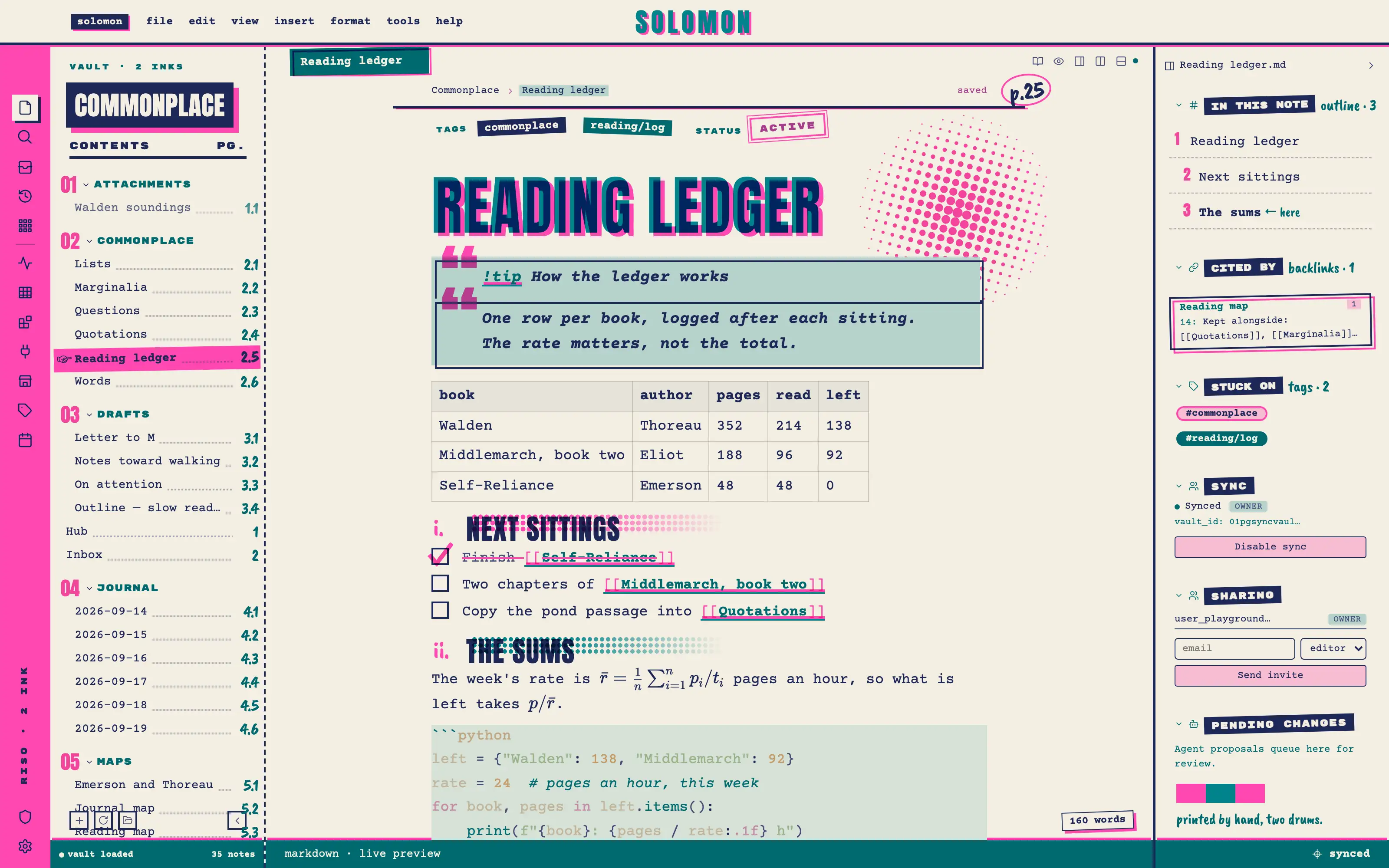
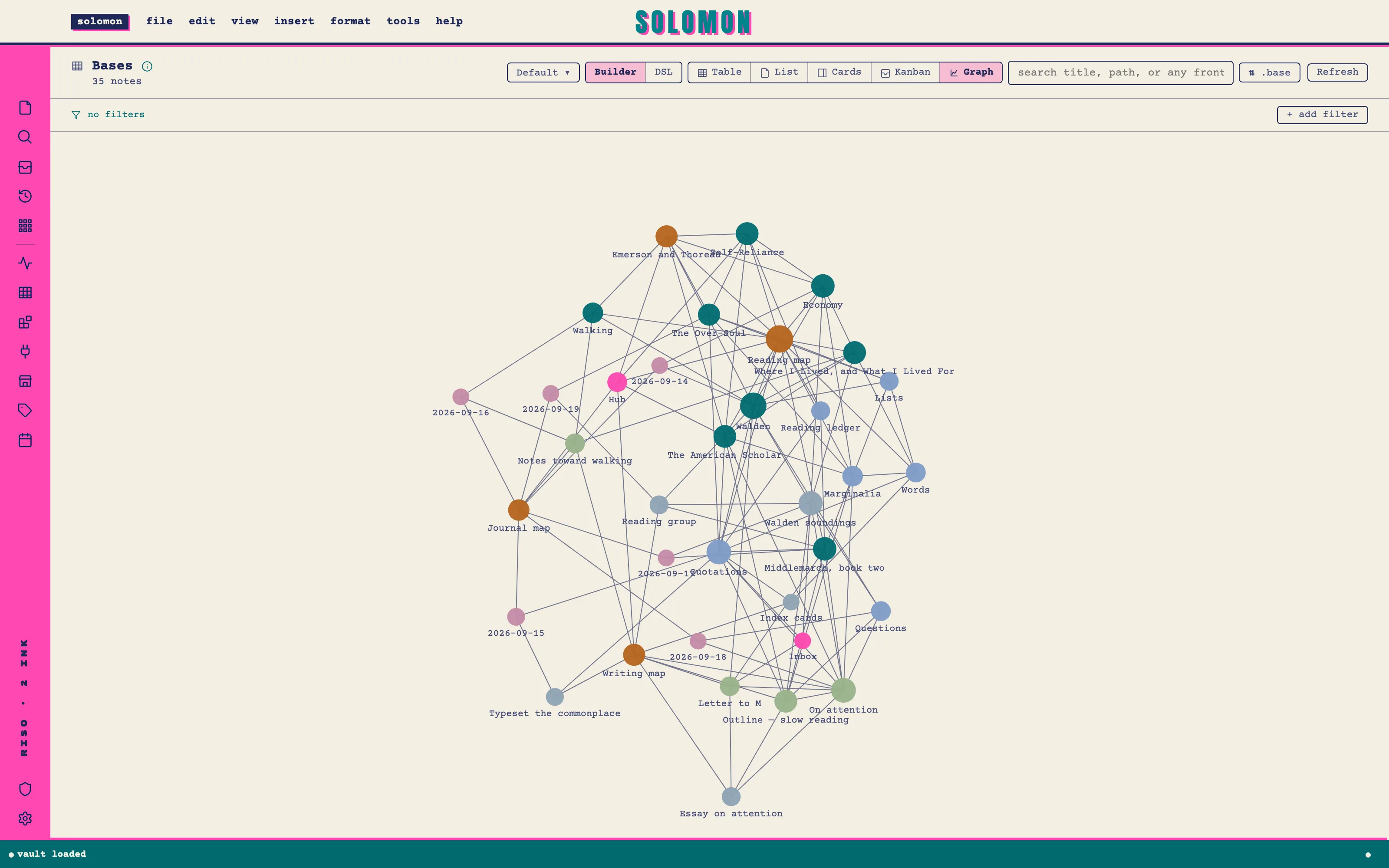
Your vault as a two-drum riso zine: everything printed in fluorescent pink and teal on cream stock, and where the two inks overprint they make the deep navy that carries every word you write. Anton mastheads in misregistered plates, a typewriter page, a file tree set as a contents page with dotted leaders, halftone dots, rubber-stamp properties and a pink tick that overshoots its box.
Install it
- Open the Store from the left rail in Solomon (or press ⌘9) and choose Themes.
- Find Risograph Zine and click Install. It lands in your vault’s
Themes/folder. - Choose it under Settings → Appearance. The default look is one click away there too.
Solomon is a free download for macOS. Get the app
- Mode
- Light only
- Type
- Anton
- Courier Prime
- Rubik Mono One
- Palette
- Credits
- SIL Open Font License 1.1
Everything this package ships is either drawn for it (and released with it) or an SIL Open Font License 1.1 typeface. Nothing is fetched at runtime: the images and the fonts are bundled under assets/ and resolved against the theme folder.