§ the idea
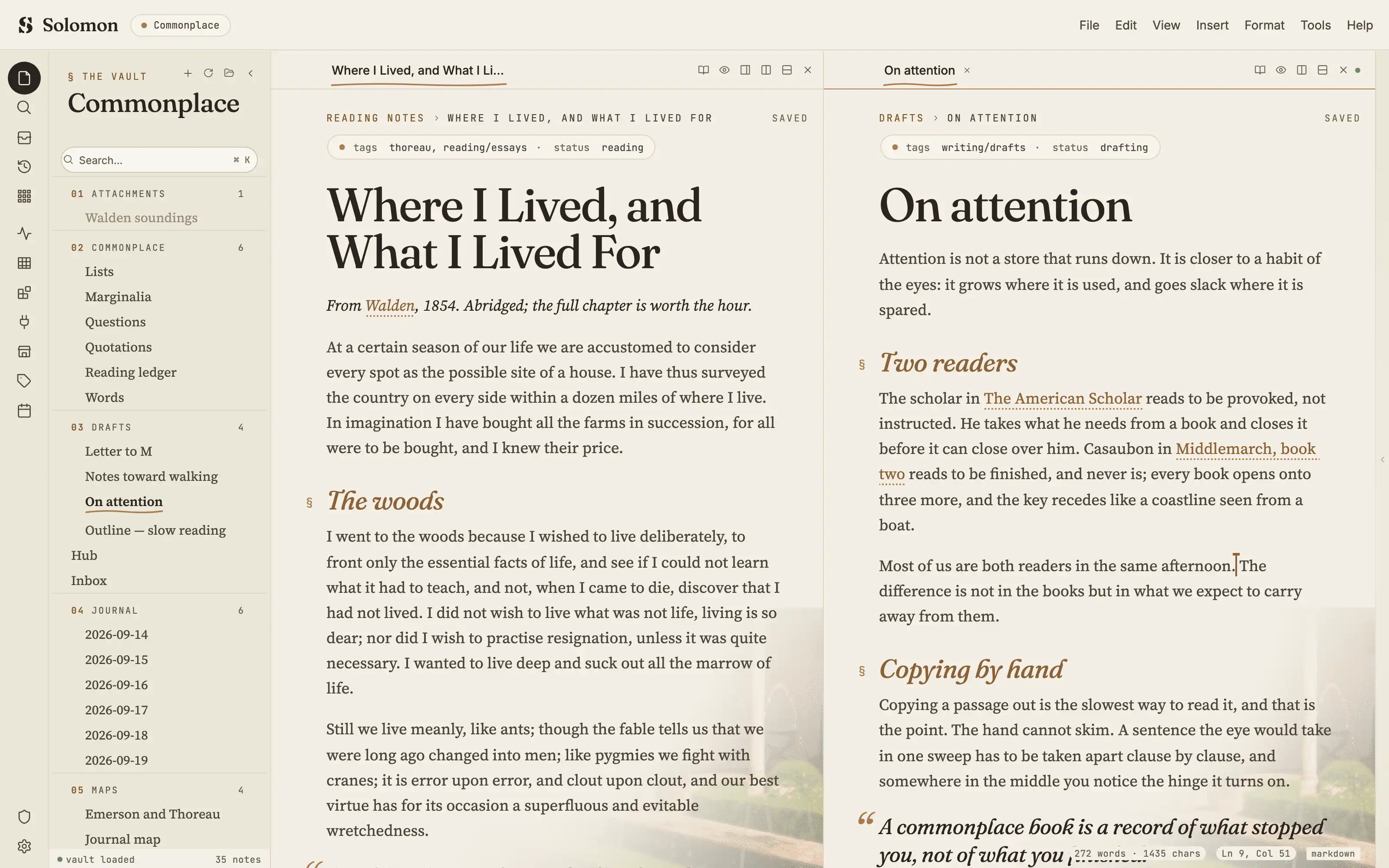
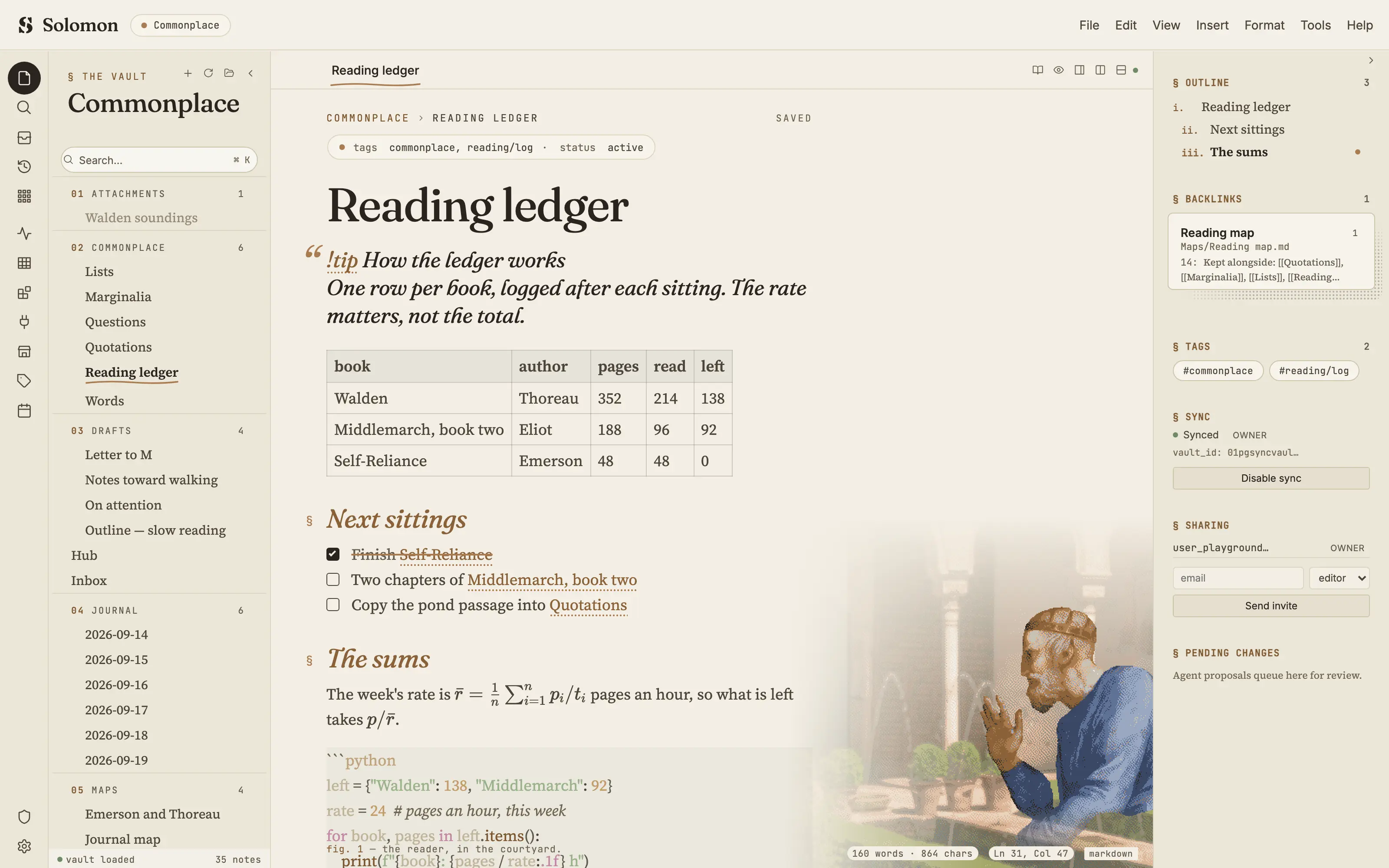
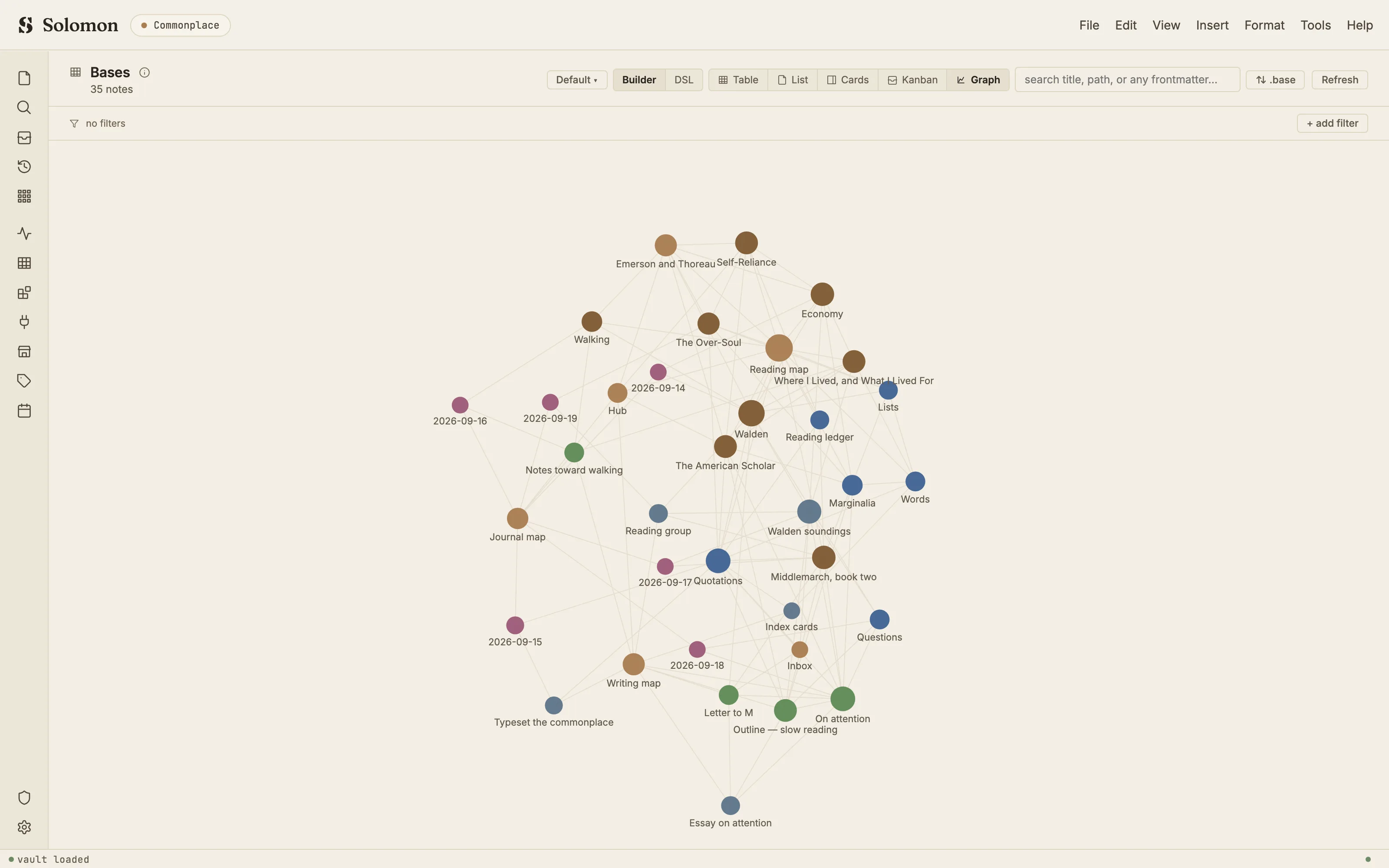
The so.lomon.dev landing page, turned into the room you write in: plaster, ink and tan, Fraunces headings over Source Serif, tracked-mono § kickers, a tan strike through done tasks. At the foot of the page the king stands in the Generalife courtyard, a colour dither in the landing's own palette, raising a hand toward the sentence you are writing.
Install it
- Open the Store from the left rail in Solomon (or press ⌘9) and choose Themes.
- Find Solomon's House and click Install. It lands in your vault’s
Themes/folder. - Choose it under Settings → Appearance. The default look is one click away there too.
Solomon is a free download for macOS. Get the app
- Mode
- Light only
- Type
- Fraunces
- Source Serif 4
- JetBrains Mono
- Palette
- Credits
- SIL Open Font License 1.1
- CC0
- Public domain art
Everything this package ships is CC0 / public-domain art, Solomon's own mark, or an SIL Open Font License 1.1 typeface. Nothing is fetched at runtime: the images and the fonts are bundled under assets/ and resolved against the theme folder.