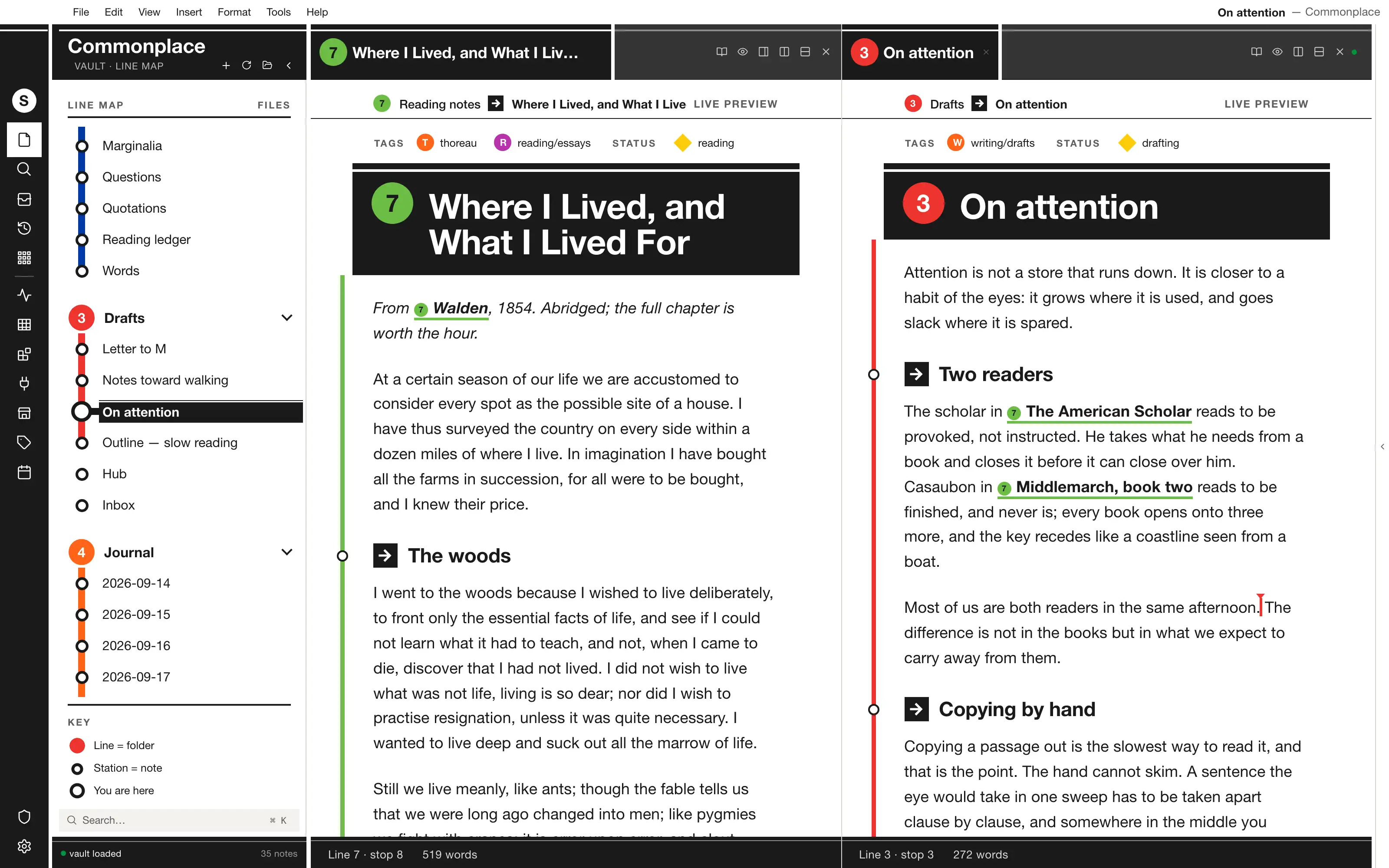
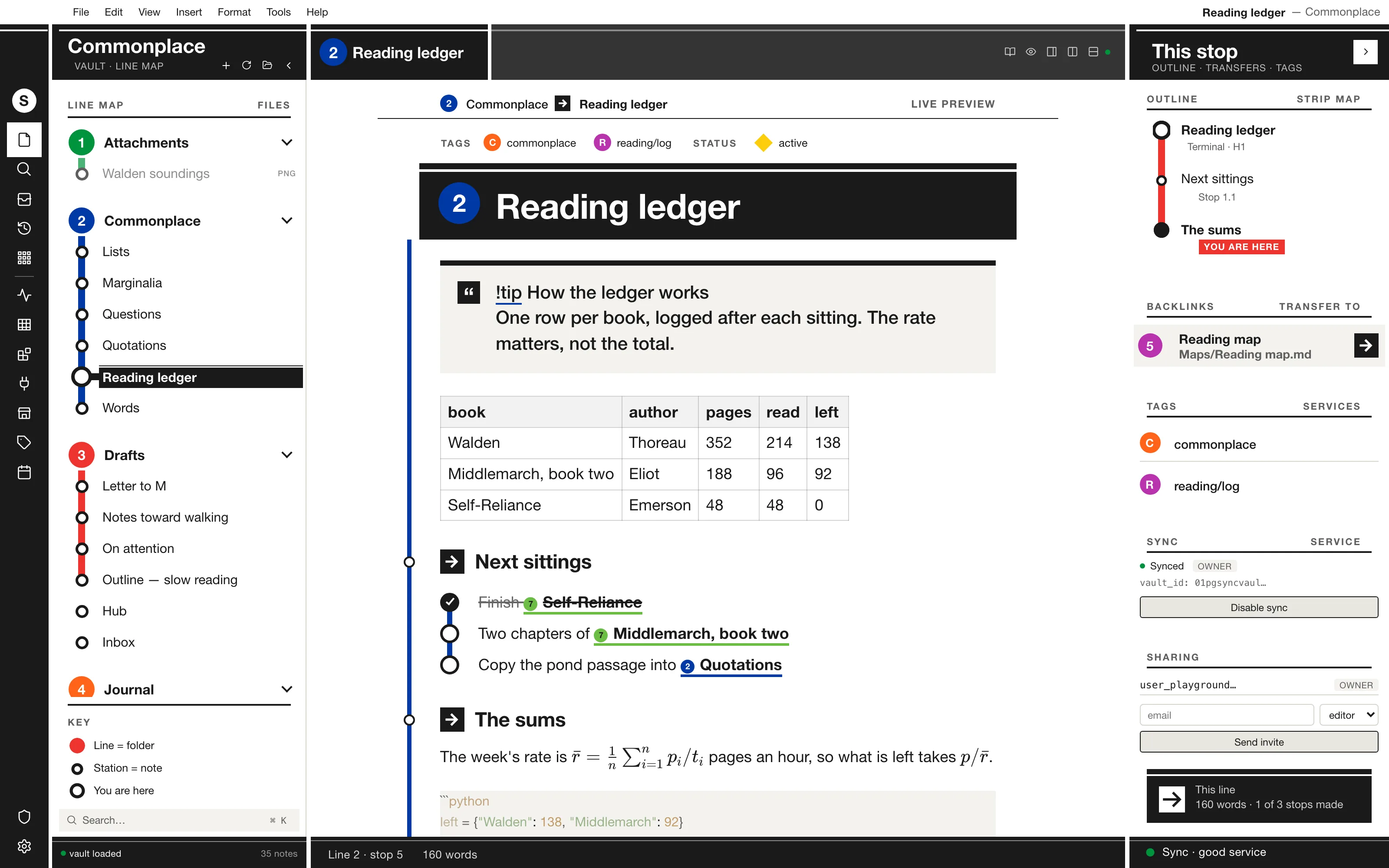
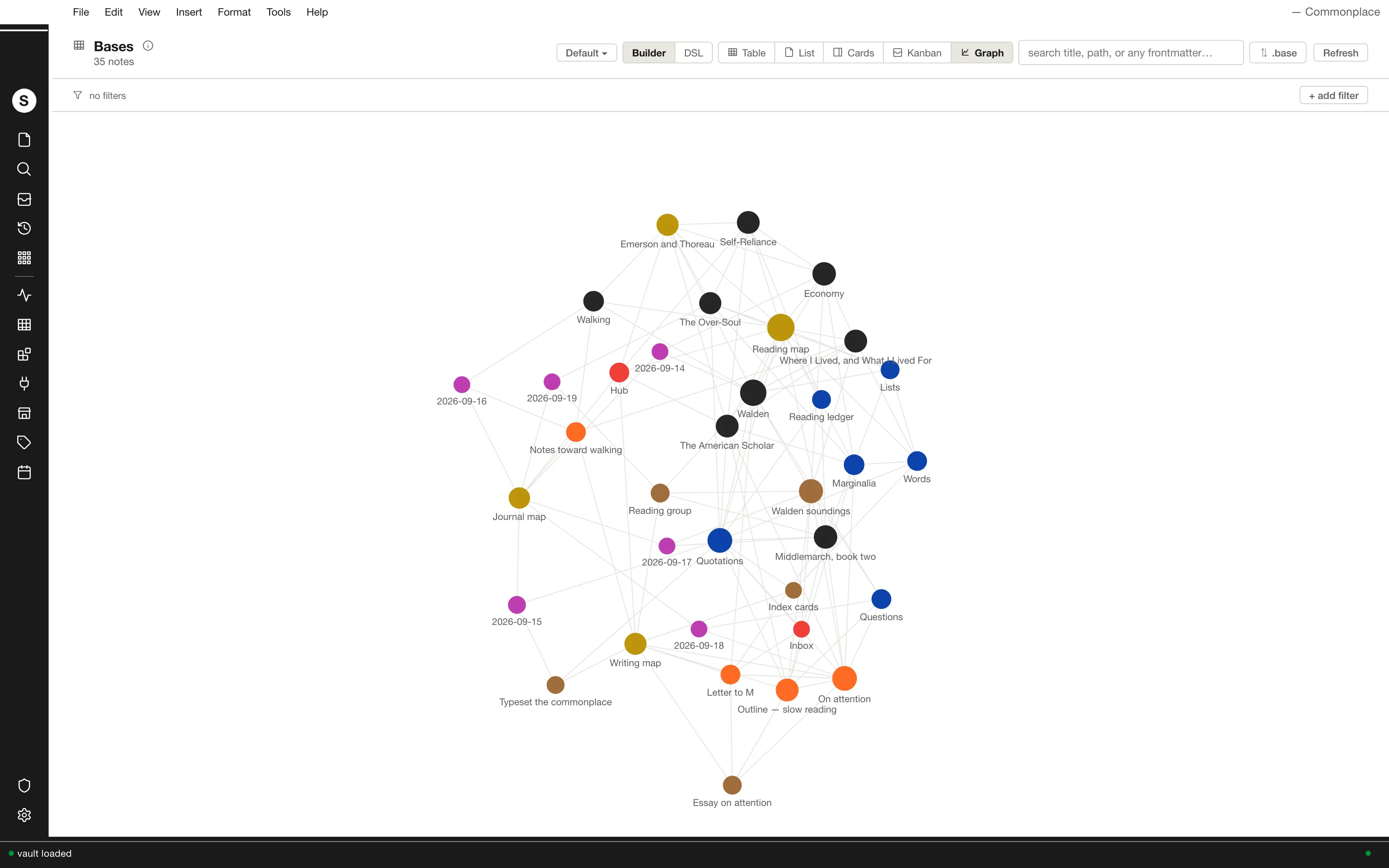
Your vault as a subway system, signed the way Vignelli signed New York: every folder a coloured route line, every note a station, the open note hung overhead on a black platform sign with the thin white stripe. One family of Helvetica, black sign panels on a white field, a red route down the page with a stop at each heading, and tasks as stops you ride past.
Install it
- Open the Store from the left rail in Solomon (or press ⌘9) and choose Themes.
- Find Transit and click Install. It lands in your vault’s
Themes/folder. - Choose it under Settings → Appearance. The default look is one click away there too.
Solomon is a free download for macOS. Get the app
- Mode
- Light only
- Type
- Arimo
- Palette
- Credits
- SIL Open Font License 1.1
Transit ships one bundled typeface and no pictures. Everything else it draws — the route bullets, the station rings, the arrow squares, the platform sign's stripe, the strip map — is CSS geometry (gradients, borders, circles) or a few-line inline SVG path written for this theme (the arrow), held in the stylesheet as a data: URI. Nothing is fetched at runtime.